Email security
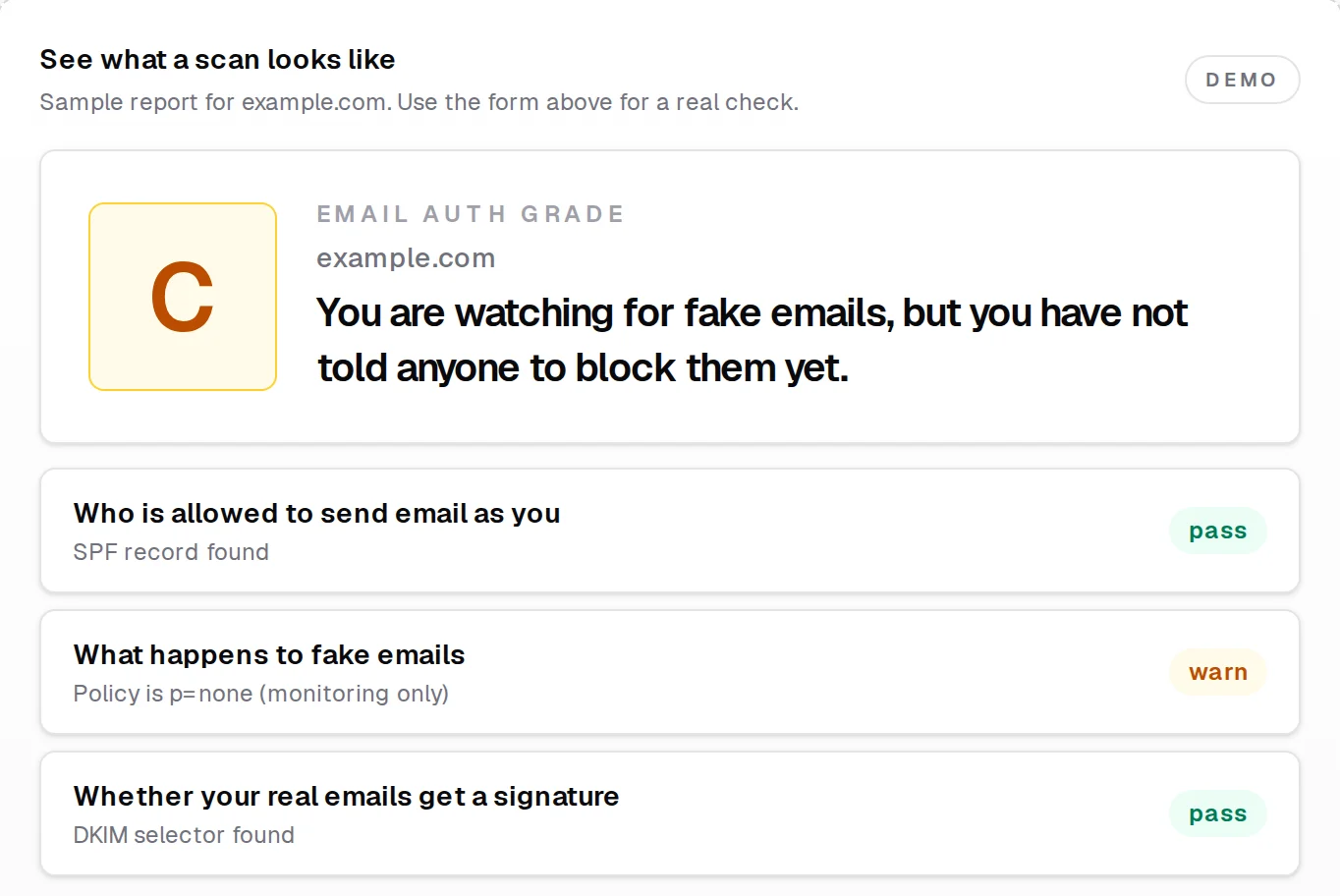
Can someone send email pretending to be you? Check in ten seconds.
Of the 15 business domains we scanned in May, ours included, one had all three records set up right. When those records are missing, invoices land in spam, or someone else’s invoice goes out under your name.
Free, no login. It only reads your public DNS.
What’s going on
It’s usually several small settings that nobody owns.
SPF lists the servers allowed to send as your domain. DKIM signs each message so the receiver can tell it wasn’t altered. DMARC tells receivers what to do when a message fails, and sends you reports about it. They live in your DNS, which is why nobody at the office has ever seen them.
What we find most often:
- DMARC set to monitor only, with the reports going to an inbox nobody reads.
- Two SPF records, which breaks both.
- DKIM signing never turned on in Microsoft 365 or Google Workspace.
- A newsletter or invoicing tool sending as you without being authenticated.
What we do
Fix it in the right order, so nothing real gets blocked.
Find every sender
Your mailbox provider, the CRM, the newsletter tool, the invoicing app, the website’s contact form. Anything that sends as your domain has to be accounted for, or tightening the rules will block it.
Fix the records
One clean SPF record, DKIM signing turned on for each sender, and a DMARC record that sends its reports somewhere a person will read them.
Tighten slowly
We move from monitoring, to sending failures to spam, to rejecting them outright, and check the reports at each step. Your legitimate mail keeps arriving the whole way.
Keep watching, if you want
You add a new vendor, or someone tries sending as you. We see it in the reports and fix it.
At the end you get a plain-language write-up of what changed and why, so the next person who touches your DNS knows what they’re looking at.
Two recent jobs
What this looked like for two clients.
A healthcare professional services firm
A phishing email pretending to be their own admin address landed in staff inboxes. DMARC was in monitor-only mode and Microsoft 365 wasn’t signing their mail. We closed that hole the same day, authenticated every service that sends for them, and caught at least 66 spoofing attempts in the first week. The domain is now at full reject and grades A on our scanner.
An LPL-affiliated financial advisory
Their own outgoing mail was being flagged as possible impersonation, and the domain graded F: duplicate SPF records and a DMARC policy that only watched. We rebuilt the records to the broker-dealer’s spec, gave their marketing mail its own policy on a subdomain, and moved the main domain to reject. At close-out it was 96.8% DMARC-compliant with no spoofing in the reports, and we still monitor it.
Pricing
Set prices for the usual cases.
Setup is a one-time fee per domain. Monitoring is optional.
Setup
Standard setup
$300
One sending source, like Microsoft 365 on its own. SPF is already there; DMARC needs adding and lining up with it.
Multi-sender setup
$500
Several services sending as you, say Microsoft 365 plus a CRM plus a newsletter tool. DKIM for each one, SPF cleanup, and a full plan for getting to enforcement.
Monitoring after setup
Standard monitoring
$50/month
We review your DMARC reports, tell you if something looks wrong, and fix one DNS issue a year at no extra cost. Includes guidance as you move toward full enforcement.
Basic monitoring
$25/month
A monthly look at the reports and a heads-up if something’s off. Fixes are billed hourly.
- Monitoring is month to month after setup. No contract.
- For a simple, single-sender domain, $500 covers setup and twelve months of standard monitoring.
- Monitoring more than one domain: 10% off the monthly total for two, 15% for three or more.
- Anything outside the plan is billed hourly, and we ask before doing it.
Questions
Questions about the email work.
Can someone really send email that looks like it’s from us?
Often, yes. If DMARC is missing or set to monitor only, the receiving server has no instruction to reject a message that claims to be from you, and plenty of them deliver it.
Will fixing this break our email?
Not if it’s done in order. That’s the reason for the slow ramp: every service that sends as you gets found and fixed before the policy is strict enough to block anything.
Is the free check enough?
It’s a good start. It reads your public DNS and grades what’s there. It can’t see which services send mail as you, and finding those is most of the actual work.
Can you work with our IT person or vendor?
Yes. We can do the work alongside them, or write up what we found and let them make the changes.
What are SPF, DKIM and DMARC, in one sentence each?
SPF lists the servers allowed to send as your domain. DKIM signs each message so a receiver can tell it wasn’t altered. DMARC tells receivers what to do when a message fails, and sends you reports about it.