An employee hub, and time off without the email chains
Vacation requests used to be emails and memory. Now they’re a form that goes to the right manager, and approved time off shows up on the calendar by itself.
- For
- A healthcare professional services firm
- When
- 2025
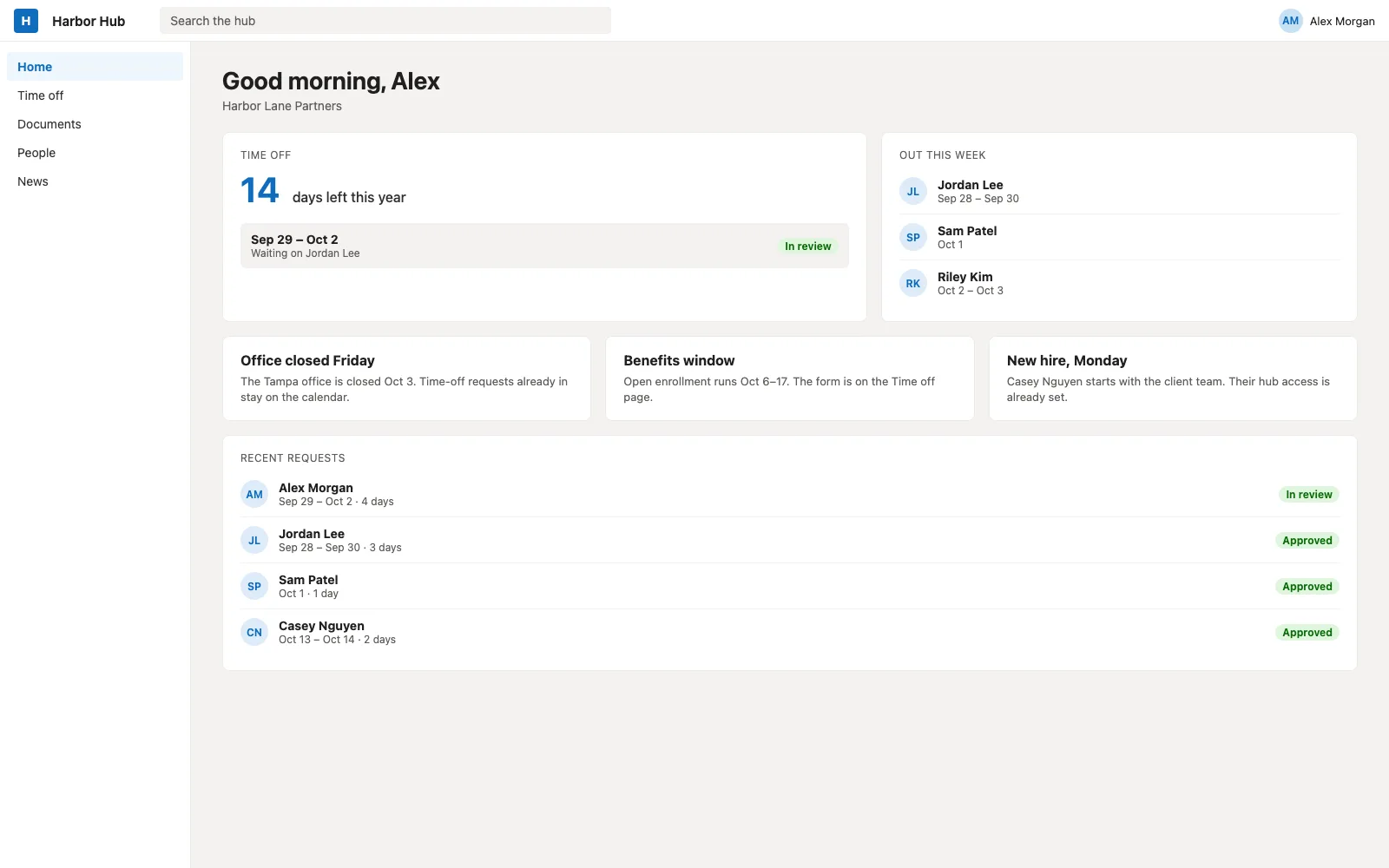
Recreation with sample names.
The situation
The firm’s intranet was old and hard to use, with paper-era processes, and time off ran on email. Nobody could see their own balance.
What I built, and why
A rebuilt employee hub in SharePoint, with a time-off request built on Microsoft Forms and Power Automate. Requests route to the right manager based on the org chart, escalate when someone is out, and send the usual notifications. Once a request is approved, the time off blocks the Outlook calendar without anyone touching it.
HR got a dashboard instead of an inbox: balances, and who’s out when. The paper forms that were left moved into Power Apps, with the approvals running through Power Automate.
Why I did it this way
Routing around managers who are out
Sending a request to "the manager" gets complicated once managers go on leave or hand off approvals to someone else. The flow reads the org hierarchy and handles both.
The calendar as the source of truth
Approved time off blocks the calendar directly, so nobody keeps a second list and nobody books a meeting with someone who’s on a beach.
What changed
Processing a vacation request takes about 70% less time than it did. Employees can see their balance and where a request stands without asking HR.
Built with
- SharePoint Online
- Power Automate
- Microsoft Forms
- Power Apps
- Outlook
- Microsoft 365