Client onboarding, from hours to minutes
Setting up a new client used to mean hours of folders and permissions assigned by hand. Now someone fills in a form, and a few minutes later everything is in place.
- For
- A healthcare professional services firm
- When
- 2025
- Status
- Shipped spring 2025.
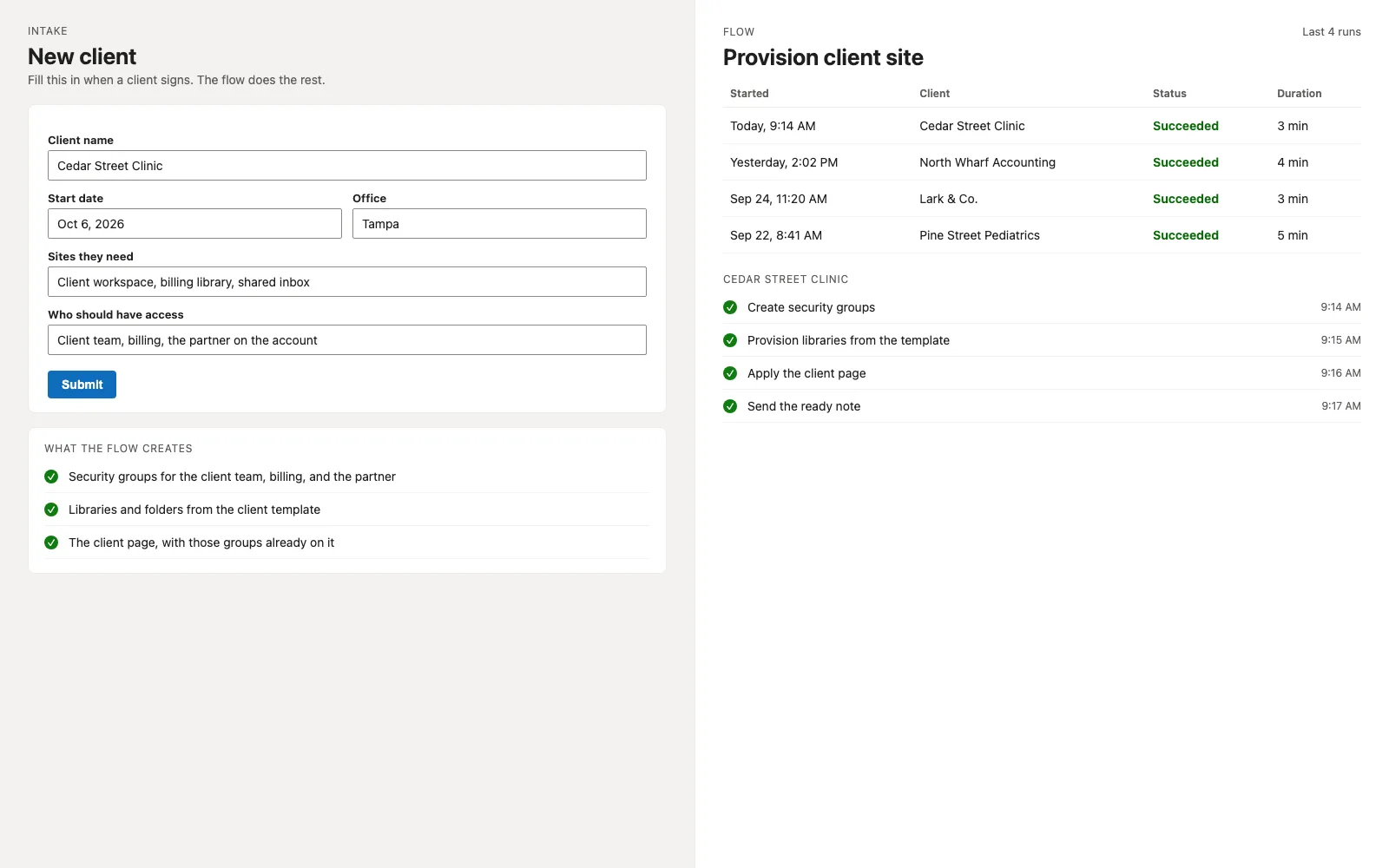
Recreation with sample names.
The situation
Every time this firm signed a new client, someone set up the SharePoint side by hand, down to who could see which folder. It took hours, no two clients ended up quite the same, and hand-set permissions are easy to get wrong.
What I built, and why
A Microsoft Form now starts the whole thing. Power Automate creates role-based security groups in Microsoft 365 and SharePoint, provisions the client’s libraries and folders from templates, and sets up their pages.
Most of the time went into untangling five years of permissions people had set by hand.
Why I did it this way
Access by security group
Access goes to security groups. Adding a new employee means adding them to the right group, and anyone can see who has access to what.
Every client starts from a template
New clients get the same folders and starter documents every time, from a template.
Throttling for Microsoft’s limits
Provisioning a batch of clients at once ran into Microsoft 365’s API rate limits, so the flow paces itself instead of failing halfway.
What changed
Onboarding went from hours to minutes, the permissions can be audited, and there haven’t been any permission errors since.
The intake form turned out to be simpler than the email thread it replaced, so people use it.
Built with
- SharePoint Online
- Power Automate
- Microsoft Forms
- Microsoft 365 security groups
- Microsoft Graph